SQL on Windows Addendum pack

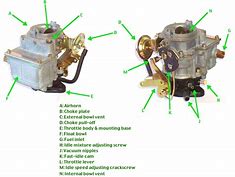
It’s spring time; time to tune the SQL carb!


Carbs are way less easy to find these days, but I’ve been busy tuning the SQL agnostic pack (MSSQL on Windows).


Tuning the SQL Agnostic pack would be far less successful without expert help.  My thanks to Brandon Pires – MCS SQL Consultant who helped provide a SQL DBA perspective.   Brandon’s LinkedIn profile


Always grab an expert, and for SQL, it’s a DBA.  If you’re new to SCOM, most product teams provide their management packs.  SCOM PFE’s build addendum packs to improve a pack (from our perspective).  Addendum packs make the a pack stronger, for an improved customer experience.  I’m not complaining at what the pack delivers.  The SQL Team is awesome for taking user feedback and making improvements quarterly!


Background:

Initially this journey started out with Tim McFadden disabling the duplicate rules/monitors in the SQL MP’s (here).

After talking with Tim and Kevin H, I set out to clean up the SQL version specific packs to remove bloat by creating the version specific OFF packs.  The OFF packs disabled the plethora of SQL performance counters (see MP bloat blog here).

With the SQL Agnostic packs (thank God!), I wanted to deliver an addendum pack to tune the SQL alerts/health for what SQL PFE/Consultants recommended for an improved out of the box experience (OoBE).


MP Version history
v1.0.0.0 24 Feb 2020 Override to enable SQL Monitoring
v1.0.0.1 24 Feb 2020 Override pack cleanup to human readable format
v1.0.0.2  2 Mar 2020 Overrides for severities and SQL CPU samples
v1.0.0.3  2 Mar 2020 Overrides for SQL rules for warning
v1.0.0.4  4 Mar 2020 Completed overrides for SQL warning rules

v1.0.0.5  1 Apr 2020 Updated rules for backup failures when customer uses Netbackup vs. SQL agent/scheduled tasks

v1.0.0.6  9 Apr 2020 Created groups for seed discovery Test/Dev and Prod; excluded EXPRESS, disabled Securables monitor

v1.0.0.7 15 Apr 2020 Updated pack name to include ‘SQL Server’.

Updated AddendumGroupGUIDUpdate to include RegEx pattern replace
AddendumGroupGUIDUpdate will version pack to v1.0.0.7 for group GUID and regex changes


Please feel free to download the zip file, which includes the XLS for review of what was updated.

My website download


Additional References

The Agnostic OFF Pack to turn off the performance rules (found here)

The old SQL version specific OFF packs for the performance counters can be found here.

TechNet Gallery download here


SharePoint Management framework Private Preview


Do you have an Enterprise SharePoint farms that you manage health and performance via custom scripts?

Have you used SETH to manage SharePoint 2010 problems with the farm(s)?


Would you want a scalable tool you can add your own scripts and enable/check, and then alert on what you want?


Background

SharePoint Engineer Troubleshooting Helper (SETH) was a Microsoft tool for SharePoint 2010

Using SETH

Troubleshooting SETH


For SharePoint 2016 and 2019, the Customer Support team brought up the need for bringing back a utility to help with common SharePoint scenarios

On Premise Diagnostic (OPD) is the second generation of project (for SharePoint 2016 and 2019).


My goal was to help the Escalation Engineers have a full platform that can be implemented and is scalable for the technical community to maintain and use.


BTW, the only thing preventing 2013 SharePoint support is the dependency on WMF v5.0 or better on SharePoint servers.


SCOM management pack can be found here


XML for Product or Company Knowledge

Digging in the archives…


From a discussion with some PFE’s – the question was ‘how do I create knowledge for a monitor/rule?’

Tyson Paul pointed out the system Center Wiki  ‘Knowledge Article authoring’  


When you create a knowledge article in an MP (let’s not even go into the console GUI! )

If the Knowledge Article references a sealed workflow (does it reference a sealed pack)

It’s Company Knowledge


Example

If the Knowledge Article references a sealed monitor, it will show up under the ‘Company Knowledge’ tab

XML example from Skype Addendum pack on TechNet Gallery

<KnowledgeArticles>
<KnowledgeArticle ElementID=”ML2MC!Microsoft.LS.2015.Monitoring.Internal.Health.DiscoveryRunner” Visible=”true”>
<MamlContent>
<maml:section xmlns:maml=”http://schemas.microsoft.com/maml/2004/10″>
<maml:title>Summary</maml:title>
<maml:para>Any added Skype servers will not be discovered in SCOM.</maml:para>
</maml:section>
<maml:section xmlns:maml=”http://schemas.microsoft.com/maml/2004/10″>
<maml:title>Causes</maml:title>
<maml:para>Discovery Failed.  An internal exception has occurred during discovery.</maml:para>
</maml:section>
<maml:section xmlns:maml=”http://schemas.microsoft.com/maml/2004/10″>
<maml:title>Resolutions</maml:title>
<maml:para>Fix permission issues in alert.</maml:para>
<maml:para>Skype PowerShell module may not be installed.</maml:para>
<maml:para>Import-Module SkypeForBusiness</maml:para>
</maml:section>
</MamlContent>
</KnowledgeArticle>

</KnowledgeArticles>


If the Knowledge Article is referenced in a sealed pack, OR an UNsealed pack has a rule/monitor in the same unsealed pack)

It’s Product Knowledge


Sealed pack example


Unsealed pack Example

Scripting SCOM Registry key tweaks


Time to tune!


Had some requests to script the registry tweaks for SCOM


Starting off with Holman’s blog entry …


TechNet Gallery download here


Save .txt file as .ps1


On SCOM Management server(s)

Close out any SCOM Console session (to prevent SDK errors)

Run as administrator in PowerShell window

Restart SCOM services

restart-service omsdk; restart-service healthservice; restart-service chost

Verify services running

get-service omsdk; get-service healthservice; get-service chost

Service Map for SCOM


Ever compare your work to an amusement park?

Every business application compares to a ride, roller coaster, or even a kiddie ride.

Anyone ever ask you directions to that ride, or more technical based questions like ‘what’ communication makes up that business application?


In comes Service Map to save the day!


Last year I blogged about setting up Service Map with OMS/Log Analytics, but I didn’t get the feature installed for SCOM.

December blog on how to set up OMS/Log Analytics


It’s basically the SCOM Agent (MMA) and a Dependency Agent (think old Blue Stripe agent)


Excited to see the new Service Map to hit public preview, hoping by September


Check out the blog series

Planning and PreReqs blog
Install and configure MMA agent blog
Dependency agent blog

Set up Azure Service Principal blog
Set up SCOM Management Group blog


Possible SQL issues affecting SCOM performance


Good reasons for a Risk Assessment


SQL RAS runs 800+ queries to check on target SQL servers

Check Best Practice Recommendations (BPR)


May be good opportunity to audit the SQL build for BPR!


Ran across some good examples where SQL settings brought SCOM to a standstill

One was Cardinality Estimation – basically, predicts how many rows a query will return

Part of SQL since 1998 with SQL Server v7.0


Let’s figure out what SQL2016 runs OoB (out of box)


SQL 2016

SELECT ServerProperty(‘ProductVersion’);
GO 


SELECT name, value
FROM sys.database_scoped_configurations
WHERE name = ‘LEGACY_CARDINALITY_ESTIMATION’;
GO


The other is CLR Strict Security

SELECT * FROM sys.configurations

WHERE name = ‘clr enabled’


Talking with Shawn Nakhostin – SQL PFE, we discussed opportunities and questions around SQL optimization and best practices.

Shawn gave me the following feedback on customer performance issues:

I’ve found some customers who have had performance issues with SQL based on organizational SQL settings:

  1. Trace flag 9481
  2. CLR Strict Security is by default enabled


Trace flag 9481

Enabling or disabling this TF is not a matter of best practice.

The customer should see what works for them.

Here is the explanation:

Customer started using a new cardinality estimator in SQL Server 2014.

The product team knew that the new CE improved some of the query plans, but not all of them. In other words, they knew that this would improve overall query performance in “some” environments but might have a different impact in other environments.

For this reason, they created TF 9481 so that environments that see query performance degradation after upgrading SQL Server from version 2012 and earlier, they can turn on this trace flag so that the query optimizer uses the old algorithm for CE.

Note:-Trace flag 9481 forces the query optimizer to use version 70 (the SQL Server 2012 version) of the cardinality estimator when creating the query plan.

https://blogs.technet.microsoft.com/dataplatform/2017/03/22/sql-server-2016-new-features-to-deal-with-the-new-ce/

https://support.microsoft.com/en-in/help/2801413/enable-plan-affecting-sql-server-query-optimizer-behavior-that-can-be


CLR Strict Security is by default enabled

This causes all assemblies to be treated as unsafe.

As a result, assemblies will not load.

To get the assemblies to load they can do one of the following:

  • Sign the assembly. This may work if you have a few assemblies but becomes a huge task if there are many assemblies to sign.
  • Set the TRUSTWORTHY database property to on.
    • This is not recommended because in some form defeats the purpose of using CLR Strict Security.
  • Add the assembly to the trusted assemblies list.
    • This is called whitelisting, which may be a better option than the previous two.

https://docs.microsoft.com/en-us/sql/database-engine/configure-windows/clr-strict-security?view=sql-server-2017


Active Directory 2012-2016 Addendum packs updated

Man time flies!


Thought I’d share some new functionality for AD DS (Active Directory Domain Services)


Ran across some customer errors with AD Event ID 1084, which exists in the old 8321 pack, but not in the v10.x pack.

Well, if you get these errors, your DC isn’t replicating, and most likely will need to be rebuilt.


Gallery download


Broke out the packs to separate the Recovery Tasks in their own pack, versus added functionality in the addendum.

Figured better to send packs NOT sealed, so that meant 2 packs,

WYSIWYG (wizzy-wig acronym)


What this means

v1.0.0.1 pack had just the AD DS Service Recovery Tasks

v1.0.0.2 pack has a Service Recovery Tasks pack, and the Addendum pack

What I think is cool is that the Addendum pack contains 2 rules, simple rule event (enabled by default), and also a PowerShell rule.


Rule Figured out how to simply look for criteria, count it, and alert on it.

We always look for alert suppression, some of the sliding/counting monitors are too much.


Starting with Holman’s alerting rule fragment, we can create more powerful combinations than just a single symptom.

Using Variations of the get-date command, we can actually specify how far back to look, to count for alerts.

Easier method to count events, to figure out an alert threshold.


From the rule in the Addendum pack

# Check blog for more detail https://blogs.technet.microsoft.com/heyscriptingguy/2015/01/21/adding-and-subtracting-dates-with-powershell/
# If you want this in other time increments – AddHours, AddSeconds, AddMilliseconds
#
$LastCheck = (Get-Date).AddMinutes(-65)

[int]$TempCount = (get-eventlog -logName “Directory Service” -Source “NTDS Replication” -InstanceID 1084 -Message “*8451 The replication operation encountered a database error*” -After $LastCheck).Count

IF ($TempCount -ge 1)
{
$Result = “BAD”
$Message = “The number of 1084 Replication Database error events was greater than 1”
}
ELSE
{
$Result = “GOOD”
}


Maybe we need multiple event ID’s, or search multiple event logs… you decide, and let me know.


System Center Orchestrator 1801 Integration Packs


Orchestra…?


FYI – Additional IP’s released this month for Orchestrator, SMA, and SPF

Orchestrator https://www.microsoft.com/en-us/download/details.aspx?id=56558

Service Management Automation https://www.microsoft.com/en-us/download/details.aspx?id=56559

Service Provider Foundation https://www.microsoft.com/en-us/download/details.aspx?id=56557


In case you didn’t know, from Lynne Taggart’s blog , these integration packs (IP) were released in February:

System Center 1801+ Integration Pack for HP iLO and OA
System Center 1801+ – Orchestrator Integration Packs
System Center 1801+ Integration Pack for HP Service Manager
System Center 1801+ Integration Pack for IBM Tivoli Netcool/OMNIbus
System Center 1801+ Integration Pack for VMware vSphere
System Center 1801+ Integration Pack for HP Operations Manager


Have fun automating!

SQL MP bloat

Updated 25 Feb 2023


Ever wish alerts were like a wad of cash?

The more you solve, the more you make!


How about performance counter data?


The SQL management packs are awesome for visualizations, and provide a bunch of data.


Tim McFadden pointed out SQL Performance counters https://www.scom2k7.com/crazy-db-performance-collection-rules-in-the-sql-mps/

His blog brings up SQL MP Disk Latency performance counters.


His blog got me thinking about SQL DB and DB file design, where multiple DB files are on the same Drive, causes duplicate performance counters (SCOM workflows) on the agent, and will typically be one of the culprits for HealthService restarts.


SQL MP creates performance counters (per DB file, group, instance, engine)


Let’s start with how I figured out why all my money goes into storage.


Start in the SCOM console

Click on the Reporting Tab

Click on the ‘System Center Core Monitoring Reports’ folder

Double click on the Data Volume by Management Pack

View of SCOM report from console reporting tab

Select the timeframe (from, to)

Click Run

Data Volume MP selected


Reporting Data

I have 2 2016 DB’s and 1 2014 (SCVMM) database server monitored, and it’s 50% of my data volume!


Another example – had the DW shutdown for days

Data volume of SQL after


Did you know there are 60+ perf counter rules in 2012 alone, and nearly 200 in 2016?


How about an OFF pack, a management pack that turns off all the performance counter rules?

The monitors still exist for health, just no pretty performance graph, should you look.


Github repo link

Check out the Gallery post for download

TechNet gallery download


Zip file contains

  1.  OFF MP’s for 2008,2012,2014,2016
  2. XLS sheets to allow you to go to the SQL team and ask them what performance counters they use


SQL native client for TLS1.2

Ever try to talk to someone when language is a barrier?


Sure, we can run an app, or search our phrase to pronounce, but it’s so much better when we can communicate seamlessly.


Post TLS1.2 for SCOM

Let’s talk SQL

Part of TLS1.2 is updating SQL Native Client to talk using a secure client that uses TLS1.2

That means a different executable should be called.


Why is that important in SCOM?

Maybe you have management packs that connect to SQL or run external commands.


On MS, there are multiple clues for various errors on Management Packs that use SSL or talk to SQL via a non-TLS method.  NOTE this may mean that the SQL DB that management pack is connecting to may need the same pre-req SQL updates to a TLS 1.2 enabled version.

  1. Do you have custom SQL queries being run, CMDB get’s, OLE DB Data Source checks?
  2. Any Event ID 1401 or 11854 events in the Operations Manager Event log?
    1. These events identify management pack scripts creating SCHANNEL events
      a. Event ID 1401 event example


Cause

SQLOLEDB connection strings will cause 36871 Sytem Log events


Example (TLS1.0)
sConnectString = “PROVIDER=SQLOLEDB;DATA SOURCE=<databaseServerFQDN>;DATABASE=MSSQLSERVER;trusted_connection=yes”
 SQLNCLI11 driver for TLS1.2 connection strings

Example (TLS1.2)
 sConnectString = “Provider=SQLNCLI11;DATA SOURCE=<databaseServerFQDN>;DATABASE=MSSQLSERVER;trusted_connection=yes”


Identify
Look for management packs with SQLOLEDB as the Connect string to reduce 36871 SCHANNEL events

In Windows Explorer, use the Advanced Options dropdown to select File Contents
In the Search bar (top right), enter SQLOLEDB (example shows SQLNCLI11)
NOTE SQL Discovery group pack IS compliant


In Windows Explorer, use the Advanced Options dropdown to select File Contents
In the Search bar (top right), enter SQLNCLI11


Additional offenders
HP Topology MP
SQL 2005 discovery MP (discontinued)
SQL Addendum MP’s (will work to update these with Holman)
SharePoint Foundation server (v15.0.4557.1000)
PRE TLS Microsoft.SystemCenter.2007


Resolution
Unseal (if necessary), update connection string, and reimport management packs
If Sealed vendor MP, request new MP via support Incident (and/or UserVoice if Microsoft sourced pack)
If Vendor will not release MP’s, accept risk with the logged errors, update MP, or remove from SCOM