OMS/Advisor Event ID 55002


This article is written for the Gateway CommunicationSecurityException event

At first I thought maybe this was TLS1.2 enabling, but backed off the change, the events kept pouring in every 5 minutes.

Tried to reconfigure the OMS/Advisor environment, and voila! Error resolved


Let’s go through the steps to re-configure the Operations Management Suite (OMS) in SCOM


Reconfigure OMS

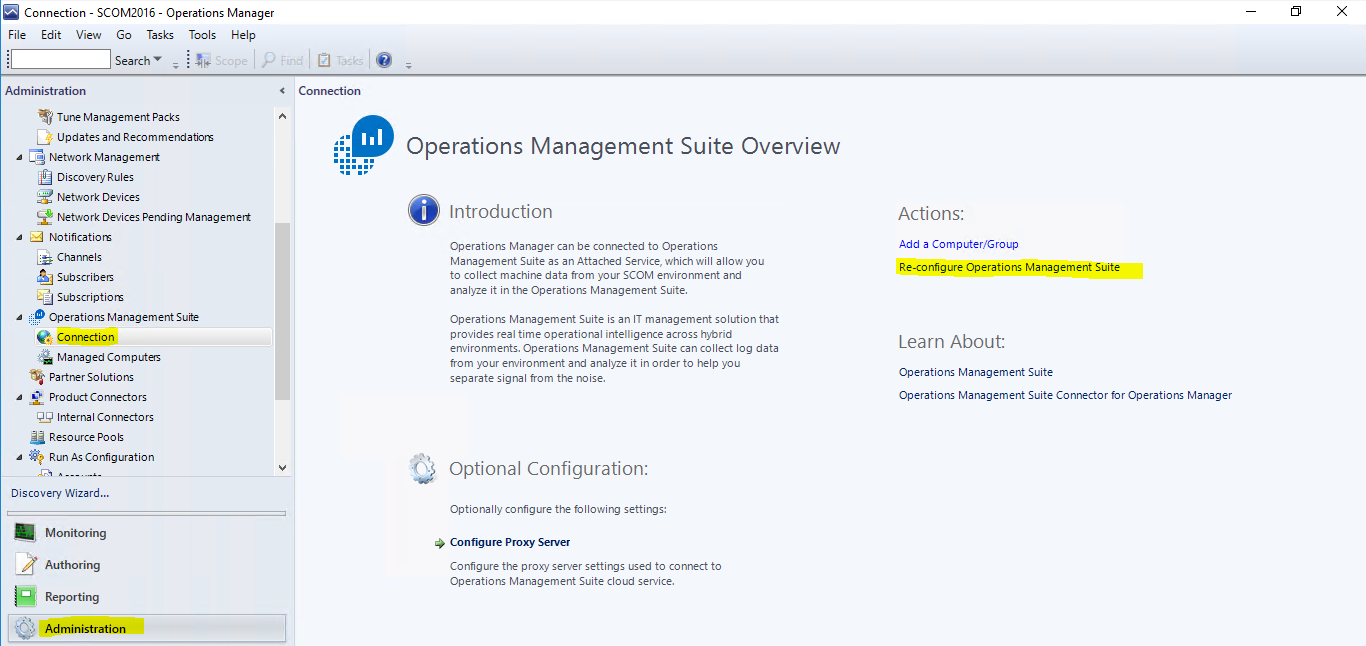
  1. From the SCOM Console, click on Administration tab
  2. Expand Operations Management Suite (Advisor on 2012R2)
  3. Click on the Connection
  4. On the center pane, click on Re-configure Operations Management Suite
 

5. Add any trusted sites to IE if there are pop-ups

I had 2 missing websites

Secure.aadcdn.microsoftonline-p.com

az416426.vo.msecnd.net

( I hit Previous and next to verify the wizard would pass with the hopes the attempt would retry)

6. Exit the Reconfigure wizard to get a retry (then the second website popped up as an untrusted site)

7. Enter credentials to your OMS environment


Connection to OMS successful
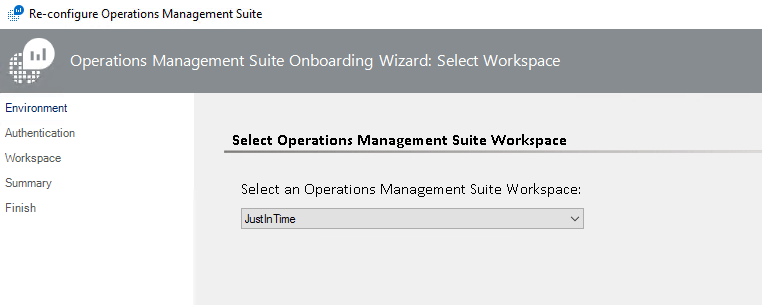
 

Click Next twice

Reconfigure success
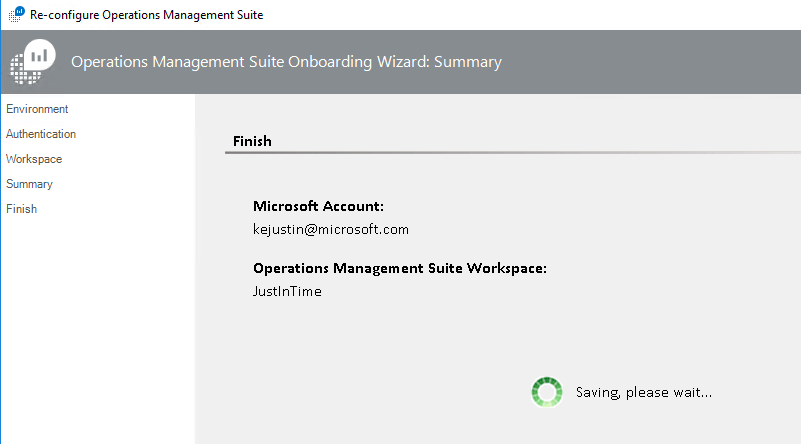
Click Close


Verify Event Log

Verify Operations Manager Event Log has no new events (this check runs every 5 minutes by default)

get-eventlog -logname “Operations Manager” | ? { $_.EventID -match 55002 } | select-object -last 2


Event ID 55002 from Operations Manager Event Log

Log Name:      Operations Manager
Source:        Advisor
Date:          12/11/2017 2:15:20 PM
Event ID:      55002
Task Category: None
Level:         Warning
Keywords:      Classic
User:          N/A
Computer:      16MS01.testlab.net
Description:
Failed to synchronize the latest Management Package information from Advisor Cloud service. Wait for the next cycle to retry. Reason: Microsoft.SystemCenter.Advisor.Common.WebService.GatewayCommunicationSecurityException: Message security was invalid for the connection with web service when performing Get Intelligence Packs with client specified versions —> System.ServiceModel.Security.MessageSecurityException: An unsecured or incorrectly secured fault was received from the other party. See the inner FaultException for the fault code and detail. —> System.ServiceModel.FaultException: ID3242: The security token could not be authenticated or authorized.
— End of inner exception stack trace —

Server stack trace:
at System.ServiceModel.Channels.SecurityChannelFactory`1.SecurityRequestChannel.ProcessReply(Message reply, SecurityProtocolCorrelationState correlationState, TimeSpan timeout)
at System.ServiceModel.Channels.SecurityChannelFactory`1.SecurityRequestChannel.Request(Message message, TimeSpan timeout)
at System.ServiceModel.Dispatcher.RequestChannelBinder.Request(Message message, TimeSpan timeout)
at System.ServiceModel.Channels.ServiceChannel.Call(String action, Boolean oneway, ProxyOperationRuntime operation, Object[] ins, Object[] outs, TimeSpan timeout)
at System.ServiceModel.Channels.ServiceChannel.Request(Message message, TimeSpan timeout)

Exception rethrown at [0]:
at System.ServiceModel.Security.IssuanceTokenProviderBase`1.DoNegotiation(TimeSpan timeout)
at System.ServiceModel.Security.IssuanceTokenProviderBase`1.GetTokenCore(TimeSpan timeout)
at System.IdentityModel.Selectors.SecurityTokenProvider.GetToken(TimeSpan timeout)
at System.ServiceModel.Security.Tokens.IssuedSecurityTokenProvider.GetTokenCore(TimeSpan timeout)
at System.IdentityModel.Selectors.SecurityTokenProvider.GetToken(TimeSpan timeout)
at System.ServiceModel.Security.SecurityProtocol.TryGetSupportingTokens(SecurityProtocolFactory factory, EndpointAddress target, Uri via, Message message, TimeSpan timeout, Boolean isBlockingCall, IList`1& supportingTokens)
at System.ServiceModel.Security.TransportSecurityProtocol.SecureOutgoingMessageAtInitiator(Message& message, String actor, TimeSpan timeout)
at System.ServiceModel.Security.TransportSecurityProtocol.SecureOutgoingMessage(Message& message, TimeSpan timeout)
at System.ServiceModel.Security.SecurityProtocol.SecureOutgoingMessage(Message& message, TimeSpan timeout, SecurityProtocolCorrelationState correlationState)
at System.ServiceModel.Channels.SecurityChannelFactory`1.SecurityRequestChannel.Request(Message message, TimeSpan timeout)
at System.ServiceModel.Dispatcher.RequestChannelBinder.Request(Message message, TimeSpan timeout)
at System.ServiceModel.Channels.ServiceChannel.Call(String action, Boolean oneway, ProxyOperationRuntime operation, Object[] ins, Object[] outs, TimeSpan timeout)
at System.ServiceModel.Channels.ServiceChannelProxy.InvokeService(IMethodCallMessage methodCall, ProxyOperationRuntime operation)
at System.ServiceModel.Channels.ServiceChannelProxy.Invoke(IMessage message)

Exception rethrown at [1]:
at System.Runtime.Remoting.Proxies.RealProxy.HandleReturnMessage(IMessage reqMsg, IMessage retMsg)
at System.Runtime.Remoting.Proxies.RealProxy.PrivateInvoke(MessageData& msgData, Int32 type)
at Microsoft.AttachedServices.WebService.IIntelligenceService.GetIntelligencePacksInfo(ClientProperties clientProperties)
at Microsoft.SystemCenter.Advisor.Core.WebService.WebServiceCallHelper.CallWebService[T](Func`1 webServiceCall, String webServiceDescription)
— End of inner exception stack trace —
at Microsoft.SystemCenter.Advisor.Core.WebService.IntelligenceServiceClient.CallWebServiceWithRetry[T](Func`2 function)
at Microsoft.SystemCenter.Advisor.Core.WebService.IntelligenceServiceClient.GetIntelligencePacksInfo(ClientProperties clientProperties)
at Microsoft.SystemCenter.Advisor.Core.IntelligencePackWriteAction.UpdateIntelligencePacks()

Getting started with OMS Update Compliance

Do you already have Upgrade Readiness or Device Health deployed in OMS?

If not, read this blog


Need to know more about Windows 10 patch compliance and don’t want to access Config Man (SCCM)?


Update Compliance is the answer!


It’s just as simple as adding the OMS Update Compliance Solution

Click on the Shopping bag (on left hand pane)

Scroll right to Update Compliance


Click Add (this will be Add not View, if you don’t already have the solution loaded)


Voila! (time elapsed as the solution gathers data every 12 hours )

Get started with OMS Device Health

Anyone need telemetry data for win10 computers?

https://docs.microsoft.com/en-us/windows/deployment/update/device-health-get-started


Want the info with better reports and less overhead?

This easily replaces SCOM Agentless Exception Monitoring


OMS is technically free, why not get insights into client side problems?


Overview

Validate Telemetry Setting

Get CommercialID from OMS

Configure Deployment Script

Run Deployment Script

Verify OMS


Check Win10 Telemetry setting

Configure Telemetry Data link


FYI – Telemetry level can be managed via SCCM/MDM/Intune and/or GPO


Enhanced Telemetry (2) sends less data (not full crash dumps like Full)

The normal upload range for the Enhanced telemetry level is between 239 KB – 348 KB per day, per device.


Settings Explained


Verify Telemetry setting

My default Win10 setting was 3 based on setup wizard options


Retrieve CommercialID from OMS

Go to Settings (Cog at the top right hand corner)

Then Click on Connected Sources, Windows Telemetry

Copy the Commercial ID Key


Set up Deployment Script

Download the Deployment Script link

In my lab example, save script to Win10 client in C:\UpgradeAnalytics


Update the Deployment RunConfig.bat file

From Docs.Microsoft.com:

The Pilot folder contains advanced logging that can help troubleshoot issues and is intended to be run from an elevated command prompt.


Edit RunConfig.bat in Notepad, add your Commercial ID into the ‘set commercialIDValue’ line

Change the logPath as well if you have a preferred logging location


Run script and verify Registry keys

Set up command window as system

Don’t forget psexec from sysinternals tool

psexec -s cmd.exe

cd UpgradeAnalytics\Deployment

runConfig.bat


Example output


Verify Registry

Registry key paths depending on how these are set with SCCM/MDM/Intune vs. GPO

        $vCommercialIDPath = “HKLM:\SOFTWARE\Microsoft\Windows\CurrentVersion\Policies\DataCollection”
        $GPOCommercialIDPath = “HKLM:\SOFTWARE\Policies\Microsoft\Windows\DataCollection”


Add Device Health Solution to OMS

Add Device Health as part of the Windows Analytics suite

NOTE Windows Analytics suite includes Upgrade Readiness and Update Compliance


Wait 2 days and see what shows up as devices check in


Clicking on Device Health pane


Added Bonus – once you configure the deployment script, the other two Windows Analytics tools are ready for consumption – Upgrade Readiness and Update Compliance


Requirements

OMS subscription

Win10 clients have HTTPS access to Microsoft hosts (see Endpoints in Configure Telemetry link below)


References

Windows Analytics link
Upgrade Readiness link
Upgrade Readiness Script V2 link
Upgrade Readiness Script Original link
Configure Telemetry link

Nutanix Monitoring on SCOM or OMS

Comtrade has been around quite some time now delivering custom management packs, in my experience for everything Citrix, F5 now, and Nutanix for SCOM and OMS.

Their profile is accurate in my opinion “The SCOM Extension Specialists”

Comtrade’s Channel Profile states “we natively integrate with System Center Operations Manager, providing a comprehensive monitoring of network (F5) and hyperconverged infrastructure (Nutanix) with insight into Citrix and Microsoft applications.”

Note: These MP’s are not free.  Contact for a trial key and download.


If you use Nutanix hosts, this will provide insights on configuration, logs, resource performance, and overloaded clusters/hosts

SCOM MP dashboards don’t look that much different, but provide easy insight into your virtual environment


How the solution works

OMS specifically


OMS Dashboard


Log Analytics


OMS Hardware Dashboard


Cluster Performance


Host Summary


Additional information

Nutanix Monitoring on OMS by Comtrade https://www.comtradesoftware.com/nutanix-monitoring/comtrade-oms-solution/

Nutanix OMS Solution https://blogs.technet.microsoft.com/msoms/2017/05/16/announcing-the-general-availability-of-oms-solutions-for-nutanix-by-comtrade-software/

Webinar https://www.brighttalk.com/webcast/14061/227057

Datasheet https://www.comtradesoftware.com/wp-content/uploads/2017/03/Comtrade-Software-OMS-Nutanix-Datasheet.pdf

SCOM MP information https://www.comtradesoftware.com/nutanix-monitoring/scom-management-pack/


How to be heard (provide feedback on Microsoft products)

Ever feel like everyone’s not listening?

UserVoice
Do you want to be heard?

Are you willing to share ideas and feedback about OMS and the various products?
Good, Microsoft development has that covered.


I recommend this to ALL of my customers
Please sign-in, vote on ideas and feedback.

Please put your comment, suggestion, feature out to the community!


Example – Custom Security events filtering is your number one priority

Vote for this request https://feedback.azure.com/forums/267889-log-analytics/suggestions/17010730-allow-custom-flexible-security-events-filtering

ADFS auditing https://feedback.azure.com/forums/267889-log-analytics/suggestions/17268227-adfs-auditing


Additional information
UserVoice websites (please verify the links http://www.windowsobserver.com/2014/08/18/microsoft-and-uservoice-feedback-portals/ )

OMS Log Analytics https://feedback.azure.com/forums/267889-log-analytics/

SCOM UserVoice https://systemcenterom.uservoice.com/

Getting Started with OMS – Operations Manager Suite

How do you make sure the business you’re in is productive and making widgets?


What does OMS do?

Acronym:  OMS – Operations Manager Suite

IMHO

Answer:  Pretty much anything you can imagine to help provide a single pane of glass into what is happening in your IT environment.

Do you use System Center?

You can tailor OMS to any solution in the Solutions gallery, and you can even request solutions and functionality in the UserVoice website.


Ready to dig into OMS, even if you’re not cloud based?


OMS has four basic services


Learn more about the OMS solutions

Verify OMS managed Computers link

Capacity and Performance (HyperV) link

Service Map link

How to be heard link


Additional information

OMS Overview Azure Monitor overview

Channel 9 videos https://channel9.msdn.com/Shows/OMS-TECH-Fridays
OMS Blog https://blogs.technet.microsoft.com/msoms/


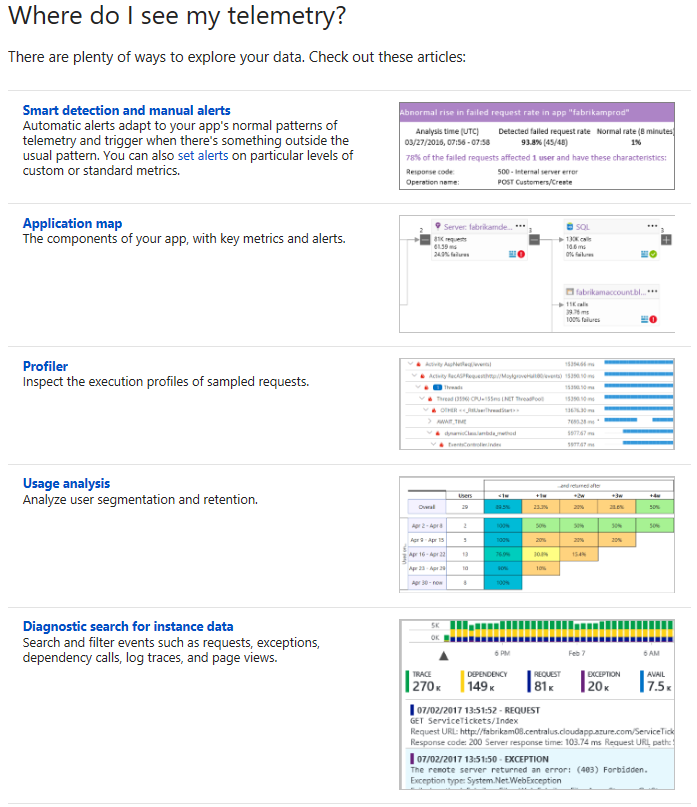
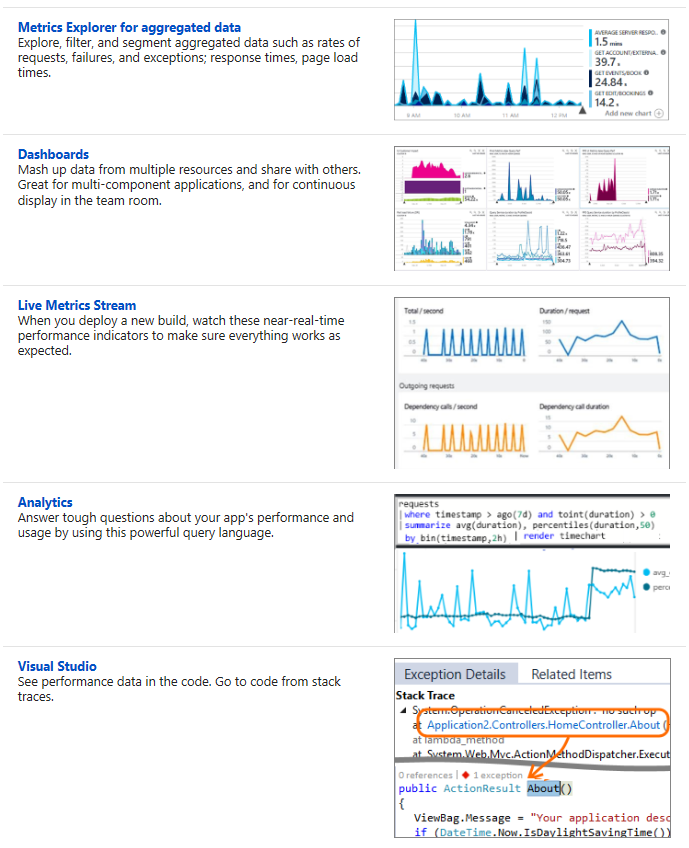
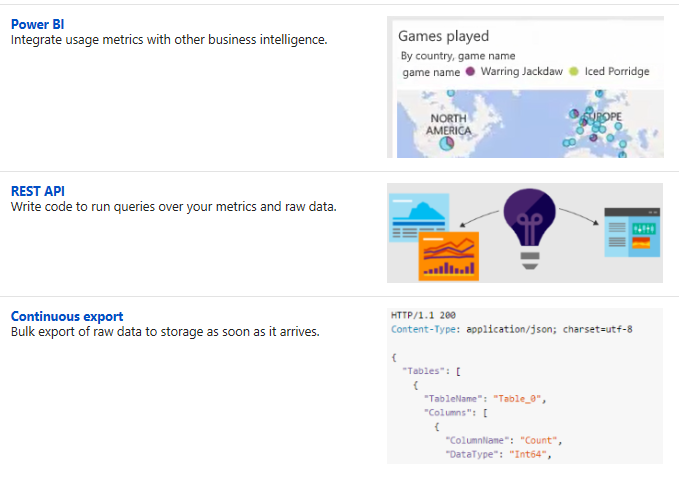
Azure Application Insights

Application Insights

Application Insights simply put is Application Performance Management for web developers (or DevOps) on multiple platforms

Are you trying to solve how to monitor application performance?

Do you need to monitor application performance for ASP.NET, Java or Node.js apps?

SCOM can monitor, but not necessarily with the same functionality

Riverbed makes products, but at a higher cost


Dashboard


Much like SCOM APM agent, application Insights Monitors the same information, without having to setup SCOM in Azure

This is also an OMS solution, so if you’re using Azure for Web Applications, this should be on the to-do list


How about application Telemetry data?


Overview https://docs.microsoft.com/en-us/azure/application-insights/app-insights-overview
Documentation https://docs.microsoft.com/en-us/azure/application-insights/

Verify OMS Managed Computers

Ever wondered what objects are setup for OMS?


Maybe you’ve seen lots of errors on servers you don’t expect ?

It’s possible someone chose a group or nearly all managed computers in your SCOM environment.


How do we verify, or change what computers send data to OMS from SCOM?

1) Look for a group
In SCOM console, monitoring tab

Look for the ‘advisor’ group
Maybe someone put a group in there

2) Verify OMS members

In the SCOM console, Administration tab
Click on Managed Computers
See middle pane for what is currently set up


Update OMS Managed computers

In the SCOM console, Administration tab
Click on Managed Computers
See middle pane for what is currently set up

Click the ‘Add a computer/group’ link on the tasks pane (right side)

Add computers or groups

Add keyword, click search, highlight and click Add

Click OK when done updating members


Optionally, highlight the member, click delete


Verify the Advisor MP’s on computer

Go to server (added or removed)

If added, look for 1201 events in the Operations Manager Log

If removed, look for 1204 events in the Operations Manager Log


Enjoy!!

O365 Office Analytics

Ever wonder where all your time goes each week?


From an executive standpoint, want to see statistics on where employees are spending most of their time?


Did you know Office365 has an Outlook AddIn for analytics? Personal Analytics Link


Access your analytics

Website https://microsoft-my.sharepoint.com/_layouts/15/me.aspx?v=analytics

Requires E3 add on or above (E5), and can be configured by the Office Admin


The MyAnalytics dashboard

Set your goals in meetings, email, network, focus/project time, and after hours


Email

Click on Email hours for insight on where you so pend your time

Click on View Details to see when you’re sending and reading email


Network

Click on the Network tab to add important people to your dashboard that you work with (for projects, job duties, etc.)

You can add people by using the Search Bar (top right hand corner)


Add Important People to your network

Click the Star to favorite people in the ‘Stay in Touch’ pane (or from the Network pane)


From the Network pane, click on Important people to see your VIP list


Meeting

Click on the Meetings

Click View Details to see what meetings you multitask


Focus Hours and After Hours

Review the insights, and customize to your needs


For more information about Office Analytics

Knowledge Link https://support.office.com/en-us/article/Microsoft-MyAnalytics-for-Office-365-admins-77590915-6eb0-47a6-a72f-8116cfcfc2c7

Personal dashboard link


Setting up OMS Capacity and Performance

Setting up OMS Capacity and Performance


Update 18 Dec 2023 – Solution retired in 2021 with OMS sunset.  

https://github.com/uglide/azure-content/blob/master/articles/log-analytics/log-analytics-add-solutions.md Repository archived by the owner on Feb 1, 2021. It is now read-only.


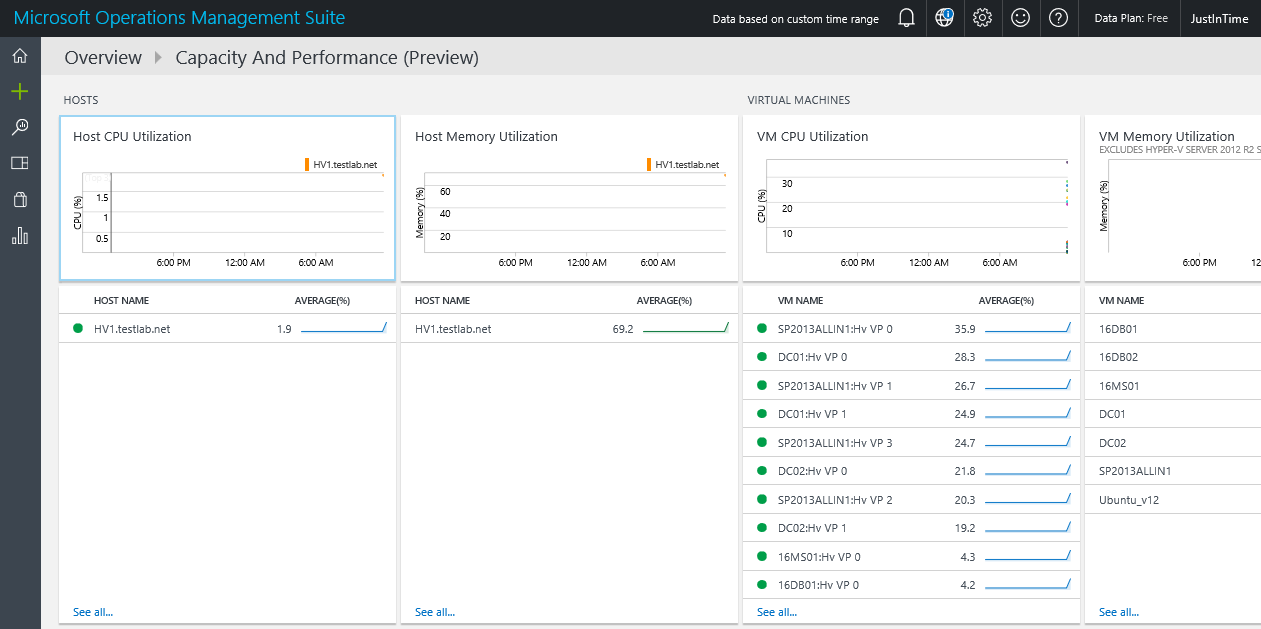
Do you know what your HyperV hosts are doing?

Not a HyperV fan, there’s a VMWare solution also here


Documentation https://docs.microsoft.com/en-us/azure/log-analytics/log-analytics-capacity

https://github.com/uglide/azure-content/blob/master/articles/log-analytics/log-analytics-capacity.md


Capacity dashboard

Capacity and performance preview summary

Details

OMS dashboard
OMS dashboard


Setting up OMS Capacity and Performance

Already have the dashboard setup?  Perhaps this will help troubleshoot

Do you have network connectivity, or is a proxy required?


Troubleshooting dashboard

Firewall https://docs.microsoft.com/en-us/azure/log-analytics/log-analytics-proxy-firewall
Windows Agents https://docs.microsoft.com/en-us/azure/log-analytics/log-analytics-windows-agents


Verify Operations Manager event log on local agent, then filter for error events and/or EventID 4506.  Look for dates/times to see when events started.

Example Event ID 4506 details the Capacity and Performance Solution, citing ‘Microsoft.IntelligencePacks.CapacityPerformance.Collector’.

Operations Manager Event Log, Event ID 4506 examples


Additional options

  1. Search LAW (Log Analytics workspace) logs

https://github.com/uglide/azure-content/blob/master/articles/log-analytics/log-analytics-log-searches.md

OMS Log search screenshot


2. Verify no proxy is set up (unless your network requires this)

OMSAgent proxy setting


3. 4506’s result from too many workflows sending data from MS to DB’s (OpsMgr and DW).  Additionally, 4506 events can be communication issues from MS to DB server(s).   Lastly, use TLS1.2 configuration as a best practice to enforce encryption from MS to SQL communication.  Beyond encryption, TLS may be a culprit if AlwaysOn or SQL clusters are involved, particularly as the SCOM console connections fail as SDK cannot talk with SQL side.  See Kevin Holman’s blog for additional TLS1.2 information and setup.

TLS blog https://kevinholman.com/2018/05/06/implementing-tls-1-2-enforcement-with-scom/


Documentation

Learn article https://learn.microsoft.com/en-us/answers/questions/212007/scom-errors-no-data-in-summary-performance-dashboa
TechNet blog https://social.technet.microsoft.com/Forums/ie/en-US/10b38121-b0e1-43ec-bf3a-d22ae9ef0220/event-4506-data-was-dropped-due-to-too-much-outstanding-data-in-rule
MS RMSe https://www.system-center.me/opsmgr/event-4506-and-new-root-management-server-rms-management-server-ms/